
Shopping List - SoftList
Martins SoftwaresShopping
4.6220.00 Reviews
- Version
- Varies With Device
- Installs
- 1.00M
- Age Rating
- Everyone
Screenshots
Our Review of Shopping List - SoftList
 Analysis by Appyee
I treat a shopping list as a small piece of household infrastructure: it needs to be quick enough to use while I’m busy and clear enough to trust when I’m standing in a store. Shopping List - SoftList is built around that practical job. It is a free shopping app from Martins Softwares, and its appeal is less about turning grocery planning into a project than about giving everyday errands a place to be organized. With an average rating of 4.6 from around 53,000 ratings and over a million installs, it has found a sizable audience among people looking for a straightforward way to keep track of what to buy.
A routine that starts before the store
The useful test for a list app happens at home, not in the aisle. I would add things as I notice them running low, rather than waiting until the day of a shopping trip and trying to remember everything at once. SoftList supports that kind of gradual planning: type in an item, keep related things organized, and return to the list when it is time to shop. That simple habit can prevent a familiar problem—remembering the main ingredients but forgetting the household basics that are easy to overlook.
For a realistic weeknight example, imagine checking the fridge before leaving work, then remembering on the way home that breakfast supplies are low. A shared, current list gives everyone involved one place to add those needs, instead of relying on a text conversation that can get buried. I find that works best when the household agrees to add items as soon as they notice them. The app can help hold the list; it cannot make people remember to update it.
Keep the list useful, not overdesigned
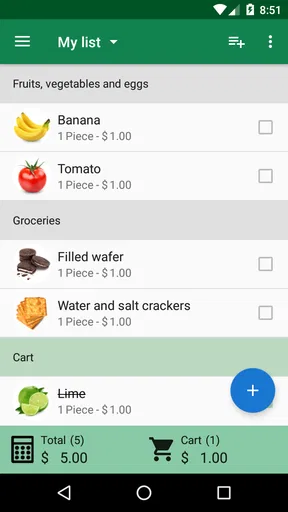
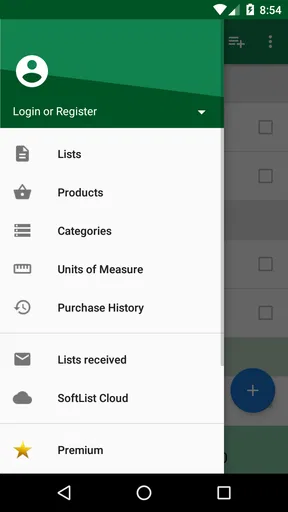
SoftList offers more than a single undifferentiated checklist. Categories can make a longer list easier to scan, while separate lists can help distinguish a regular grocery run from ingredients for a particular meal or another occasion. My advice is to begin with only the organization you will actually maintain. A few useful categories can speed up a trip; too many little divisions can turn adding one item into a decision of its own.
There is also a practical way to use separate lists without creating unnecessary clutter: keep recurring household needs in the routine list, and make a temporary one for a special meal or event. That keeps a one-off ingredient from getting mixed into the next ordinary shop. Once the occasion is over, the temporary list can stop being part of the routine. This approach is especially helpful if more than one person shops, because the purpose of each list is obvious at a glance.
Check the trade-offs before making it a household tool
SoftList is a better fit for people who want an editable shopping companion than for shoppers who need a full grocery service. Its spending and price entries can help you keep an eye on a planned shop, but I would treat that as a personal tracking aid rather than a guarantee of an exact final bill. Prices change, and estimates are only useful when the entries are kept current. Likewise, a scanner or recipe workflow can save steps when it fits your habits, but it does not remove the need to review quantities and make sure the list reflects what you actually intend to buy.
Compared with a paper note, an app is easier to revise and can be shared across devices, but it asks you to keep a phone handy and maintain the list. Compared with a general notes app, a dedicated shopping list can feel more focused because items can be organized for shopping rather than mixed with reminders, work notes, and unrelated tasks. If your priority is a highly polished shared meal-planning system or a service tied to a particular retailer, a more specialized alternative may suit you better. SoftList makes most sense when the list itself is the main thing you need.
The app is free to download, rated for Everyone, and includes in-app purchases priced from $0.99 to $9.90 per item. It has been available since September 21, 2014, and its broad history in the category suggests a familiar, established kind of utility rather than a new shopping concept. I would try the basic workflow first and decide whether its organization and optional purchases suit the way I shop before paying for anything. The right choice depends on whether the features solve a regular annoyance, not on how many tools an app can offer.
One point I would check early is how the app behaves on the devices and accounts your household actually uses. The published description of syncing across devices makes shared shopping sound convenient, but a household should test that the list is visible and current for each person before relying on it for an important trip. The same goes for reminders: set them around a real routine, such as checking the list before leaving home, rather than creating alerts for every item. A small number of well-timed prompts is easier to live with than a stream of notifications you eventually ignore.
Features That Make Life Easier
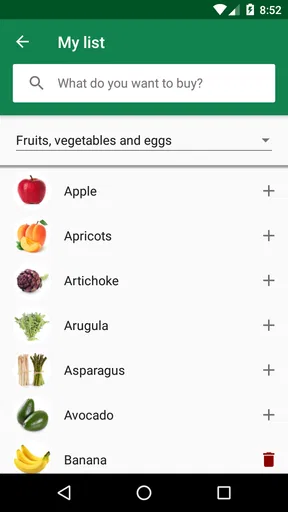
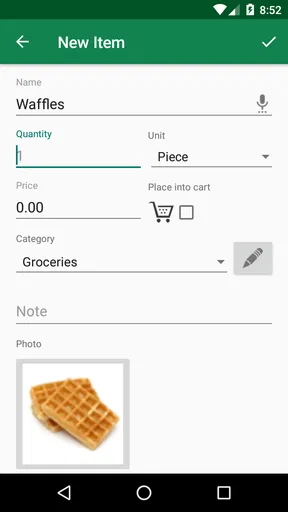
One of the things I love about Shopping List - SoftList is its intuitive interface. From the moment you open the app, it’s clear that a lot of thought has gone into making it user-friendly. Adding items to your list is a breeze. You simply type in what you need, and it pops up on your list. If you’re like me and often forget to add things, you can even categorize items to keep everything organized.
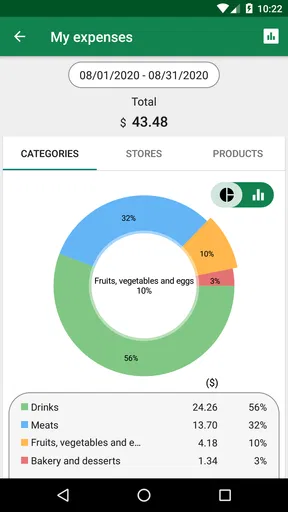
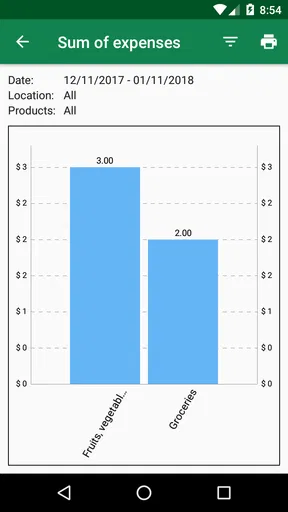
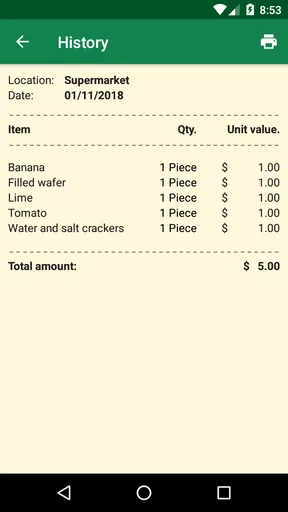
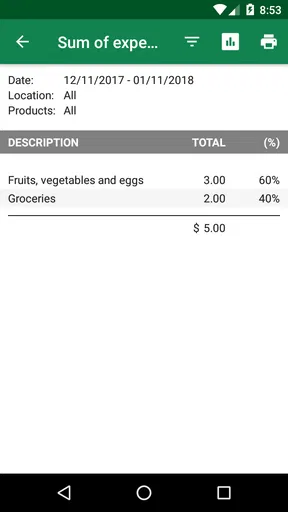
The app doesn’t stop at just making lists; it also tracks your spending. You can add prices to items, which helps keep your budget in check. It’s like having a personal shopping assistant in your pocket. And if you’re someone who likes to plan meals ahead of time, the app allows you to create multiple lists for different occasions or meals. That way, you’re always prepared and never caught off guard.
Seamless Synchronization
Another standout feature is the app’s ability to sync across multiple devices. Whether you’re using a smartphone, tablet, or even a smartwatch, your list is always up to date. This is perfect for families or roommates who share shopping duties. Everyone can add to the list, so no more "I thought you were getting the milk" moments.
And here’s a little bonus that I found particularly handy: the barcode scanner. Just scan the barcode of an item you’re running low on, and it’s automatically added to your list. It’s these small touches that make a big difference in my shopping routine.
Customizable to Fit Your Needs
Customization is key with Shopping List - SoftList. You can tailor the app to suit your preferences, whether that’s changing the theme, sorting items by category, or even setting reminders. I personally love the reminders feature. It’s saved me from forgetting those pesky, easily overlooked items more times than I can count.
The app also offers a handy feature that allows you to import recipes. If you’re a budding chef or just someone who enjoys cooking, you can add all the ingredients from a recipe straight into your shopping list. Talk about convenient!
Make repeat shopping less work
The most useful habits with a list app are often small and repeatable. When you bring home a staple you know you will need again, add it to the next list while you are unpacking rather than waiting until it is gone. For a recipe, review the ingredients before importing them and check what is already in the kitchen; otherwise, a convenient way to transfer ingredients can still leave you buying duplicates. These are not complicated tricks, but they make the list more reliable because they connect it to the moments when you naturally notice what is missing.
Price entry is most helpful when used consistently for a few items you care about, such as a weekly staple or a planned meal, rather than as a promise to record every purchase. That gives you a rough comparison point without making the chore of shopping feel like bookkeeping. I would also avoid treating a scanned barcode as a complete product record: scanning can speed up adding an item, but I would still glance at the name on the list and make sure it is the version I meant to buy.
Where a simpler alternative may win
For a very short shop, a paper scrap or a basic notes app may be faster because there is nothing to configure. If you regularly plan several meals, divide responsibilities, or return to recurring lists, SoftList’s categories and multiple-list approach have more room to help. The trade-off is that the app works best when someone keeps it tidy. Old one-off items and outdated prices can make a digital list just as confusing as a paper one, so I would periodically remove what is no longer relevant instead of letting every past plan accumulate.
People who want shared planning should also decide what “shared” means in their routine. One person might maintain the list while another shops; in that case, the key is making additions before the shopper leaves. If several people edit it, agree on a simple naming and category habit so an item is not entered twice under slightly different names. This is a practical household rule, not a special feature, and it can matter more than adding another category or reminder.
Why You’ll Love It
So, why should you download Shopping List - SoftList? Well, if you’re someone who values efficiency and hates the hassle of a disorganized shopping trip, this app is for you. It’s designed to make your life easier, save you time, and keep your shopping trips stress-free.
Of course, like any app, it’s not perfect. Some users have mentioned that the number of ads can be a bit overwhelming, especially in the free version. However, upgrading to the premium version eliminates this issue entirely, and it’s reasonably priced considering the value it brings.
My own recommendation is to judge it by one ordinary shopping cycle: add needs as they come up, organize only where it helps, and check whether the list is easy to use when you are actually in the store. If you shop alone with only a handful of items, a note may remain the more effortless choice. If a household repeatedly forgets the same essentials or splits errands, a shared list and a predictable update habit can make SoftList worthwhile. I would not pay for an upgrade just because it exists; first see whether the free version’s everyday workflow earns a place in your routine.
In conclusion, if you’re ready to take the chaos out of your shopping trips and bring in some much-needed organization, give Shopping List - SoftList a try. It’s a simple yet powerful tool that’s sure to become your new shopping companion.
Verdict
Strengths of Shopping List - SoftList
- Easy to use interface with intuitive design.
- Customizable categories for better organization.
- Syncs across devices for convenience.
- Barcode scanner for quick item entry.
- Offline mode available for shopping without internet.
Limitations of Shopping List - SoftList
- Limited free version with ads.
- No integration with popular grocery delivery services.
- Occasional syncing issues reported by users.
- Some features locked behind a paywall.
- No option to share lists with non-users.
Similar Picks in This Category
View All
SHEIN-Shopping Online
Roadget Business PTE. LTD.4.8

Amazon Shopping
Amazon Mobile LLC4.4


Mercado Libre: Compras online
Mercado Libre4.8

Wish: Shop and Save
Wish US Holdings LLC4.7

Alibaba.com - B2B marketplace
Alibaba Mobile4.4
Frequently Asked Questions
What features does Shopping List - SoftList offer to enhance my shopping experience?
Shopping List - SoftList offers a variety of features designed to streamline your shopping experience. These include customizable lists, barcode scanning for quick item entry, price tracking to compare costs over time, and cloud synchronization to access your lists across multiple devices. The app also supports voice commands, making it easier to add items hands-free.
Is Shopping List - SoftList available for both Android and iOS devices?
Yes, Shopping List - SoftList is available for download on both Android and iOS platforms. This ensures that users can enjoy its features regardless of their device choice. Simply visit the Google Play Store or Apple App Store to download and install the app on your smartphone or tablet.
Can Shopping List - SoftList be used offline, or does it require an internet connection?
Shopping List - SoftList can be used offline, allowing you to access and edit your shopping lists without an internet connection. However, to access features like cloud synchronization and barcode scanning, an internet connection is necessary. This ensures you have flexibility when using the app in different environments.
How does Shopping List - SoftList handle data privacy and security?
Shopping List - SoftList prioritizes user privacy by implementing secure data storage practices. When using features like cloud synchronization, your data is encrypted to protect it from unauthorized access. The app does not share your personal information with third parties, ensuring that your shopping habits remain private and secure.
Are there any in-app purchases or advertisements in Shopping List - SoftList?
Shopping List - SoftList offers a free version with basic features, supported by non-intrusive advertisements. For users seeking an ad-free experience with additional premium features, such as advanced list management and custom themes, in-app purchases are available. This model allows users to choose the experience that best suits their needs.
